
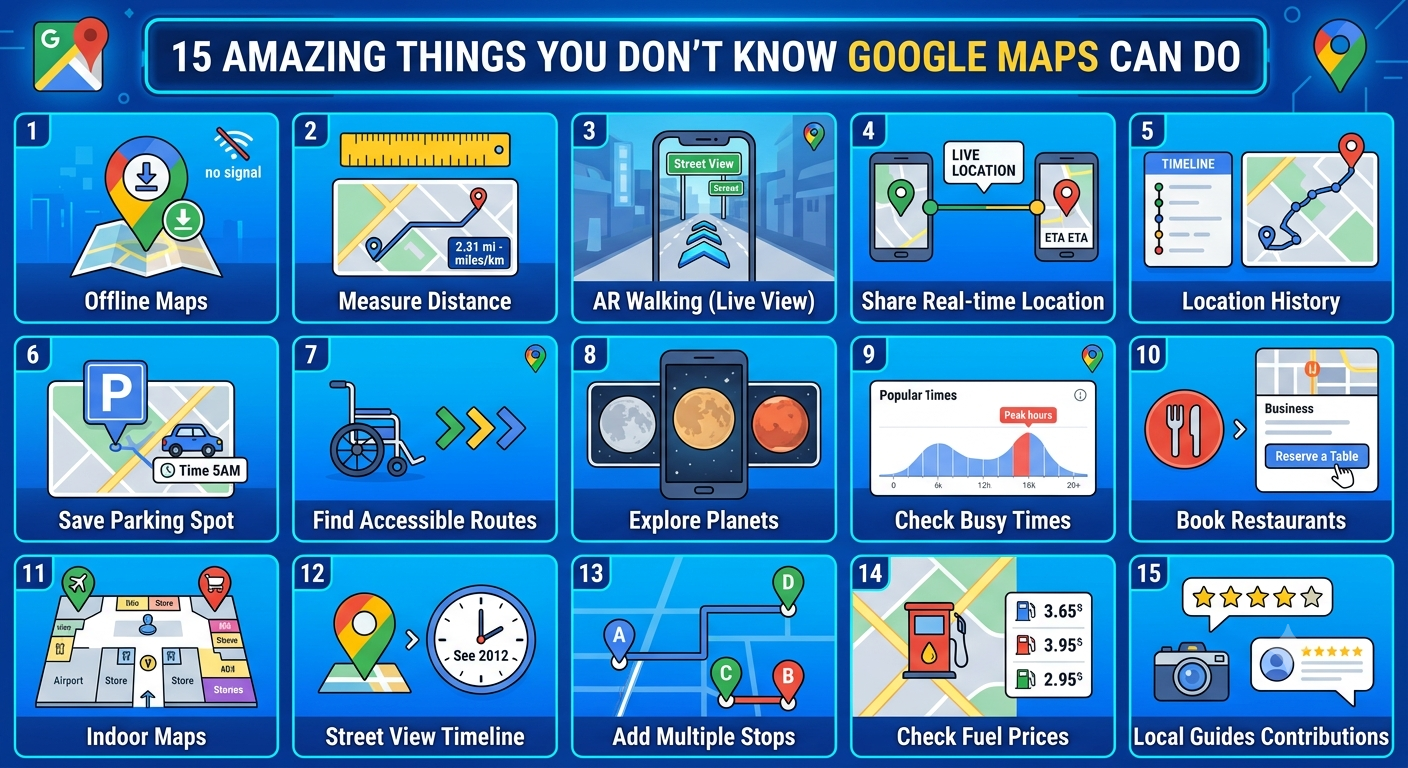
Google Maps, 15 Amazing Things You Don’t Know It Can Do
Google Maps has shown that it is no longer a digital map but a navigator to the world. It started its journey as a simple tool and now evolved with features that are more than locating places.
Even though most of us are still using it to find ways from one point to another, it has some amazing features and hidden functions that can make it your best tool for various purposes.
If you are also interested in knowing them, we have brought these 15 amazing features of Google Maps you are unaware of, making you an expert of this map-savvy tool.
Google Maps Features: Find Out 15 Less Known Features
Customize the Navigation Icon: There is no need to use that boring and simple blue arrow icon every time while using maps. You can customize your navigation icon with various automobile types of different colors.
If you are driving an SUV and want the same icon, you can get it in three simple steps;
- Start navigating to your location.
- Tap on the blue navigator icon.
- Select your favorite from different icons and their colors.
Ask Gemini to Use AI: From now on, whenever you get confused about what to visit you can immediately get help from Gemini AI.
Google Maps is integrated with Gemini and can deliver customized suggestions about the places to visit based on your interests and previous preferences. It then can be anything from a fun park to romantic dates, or the coolest restaurant in the city.
- How to utilize the feature;
- In its search bar, type references like “What can I go with my friends at night in London,” “Adventure sports in California,” or “Give me the list of most romantic restaurants near me”.
- Moreover, you can also enquire about a particular location, such as “Is there any dress code?” or “Does this location have its own separate parking?”
Utilize the Augmented Reality (AR) for Instant Knowledge
Finding important locations in a new neighborhood can be tough, especially when you come out from a new station and witness unfamiliar localities. Now after the inclusion of Lens, you can utilize Augmented Reality to quickly get overlayed information about your surroundings including location’s name, its live status, and its reviews.
- How to utilize the feature;
- Click on the camera icon in the search bar.
- Use your mobile phone and scan your nearby locations to read AR-powered information.
Find HOV Lanes: It feels great when you save time on your journey. Use Google map to find high occupancy vehicle (HOV) lanes on your route and reach your desired location more effectively and efficiently.
- How to utilize the feature;
- First, enter your desired destination and find directions.
- It will automatically show if there are high occupancy vehicle lanes available. If it is not showing yet, update your app and try again.
Time Travel with Street View: Do you want to go back in time to visit your childhood or your grandparents’ home? Yes, you can do a time travel with this amazing Street View feature. It permits you to go back in time and witness how places, streets, and houses have changed over the years.
- How to utilize the feature
- Open the app and turn on the Street View layer.
- Locate an address.
- Tap on “See more dates” and find the available pictures to witness the evolution of that location through years.
Book a Table Directly: No need to make lethargic phone calls to book a reservation at your favorite restaurant. If your favorite food spot has a collaboration with a booking partner, then you can avail yourself of “Reserve” feature in the Google maps app to directly book a table.
- How to utilize the feature
- Find your favorite restaurant’s location on the app.
- If available, select the “Reserve” tab and book your table.
Collaborate Your Lists and Plan Group Outings
Planning a trip with your friends always proves to be a logistical nightmare. However, you can have a seamless process with its collaborative lists where every friend can bookmark places, he/she wants to visit through emoticons. This eases out unnecessary hunts and values everyone’s choices.
- How to utilize the feature:
- Create a new list in the Maps.
- Share it with your travel group.
- Now, each one of them can include new places on the list and prioritize them using emojis.
Find Trending and Popular Cafes: It’s super easy to find food spots serving the best dishes at one time. Google Maps provides a list of restaurants and cafes that are underrated but currently trending. If you have arrived in a new city, these lists can be your perfect partner to find the best spot.
- How to utilize the feature
- Find out the trending list in the app and find spots that are on the popularity list.
- Among them, check out for tried-and-true favorites.
- Moreover, you can even explore the gems list to explore the upcoming trendy spots.
No Internet, Still No Worries: Don’t let the internet stop you from navigating. Google Maps provides an option for offline map downloading, so that you can explore even when you have internet access.
- How to utilize the feature
- Search for a location
- Click on the address and choose “Download”
- Access the map without internet access.
Navigate Airport Seamlessly: Exploring an unknown airport can be lethargic. However, with it, you can seamlessly navigate any airport with the “Directory” feature which gives information about various amenities like cafes, lounges, etc.
- How to utilize the feature
- Search for the airport on the map.
- Select the “Directory” tab and find out available services.
Google Maps Is Lot More than Navigation, Find Out More
Google Maps is a tool that is not limited to basic navigation. Despite its limited uses, it is continuously exploring itself to provide you with amazing features and transform your journey experience.
From finding the best route to exploring the trending cafes, it has something for everyone who knows how to explore its features. So, the next time try to discover these amazing features and use them to enhance your exploration.
